Mastering Volume Profile,
TPO & Volume Tools on TradingView
From Volume Profile basics to TPO Market Profile and CVD divergence integration — the complete professional guide to TradingView's institutional volume tools.
Why Professional Traders Use TradingView's Volume Tools
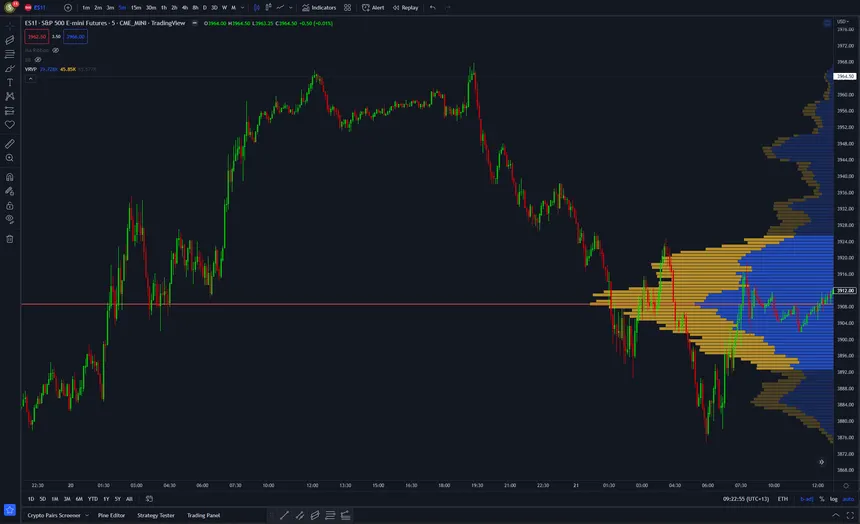
TradingView's premium plans (Pro, Pro+, Premium) provide access to advanced volume indicators that reveal institutional order flow dynamics. Tools like Volume Profile, Periodic Volume Profile, and TPO (Time Price Opportunity / Market Profile) enable traders to identify value areas, Point of Control (POC), and auction mechanics with precision.
These features transform standard charts into powerful analytical tools for futures, stocks, forex, and crypto.
Upgrade or start your free trial: https://www.tradingview.com/pricing/
Beginner Level: Volume Profile Fundamentals
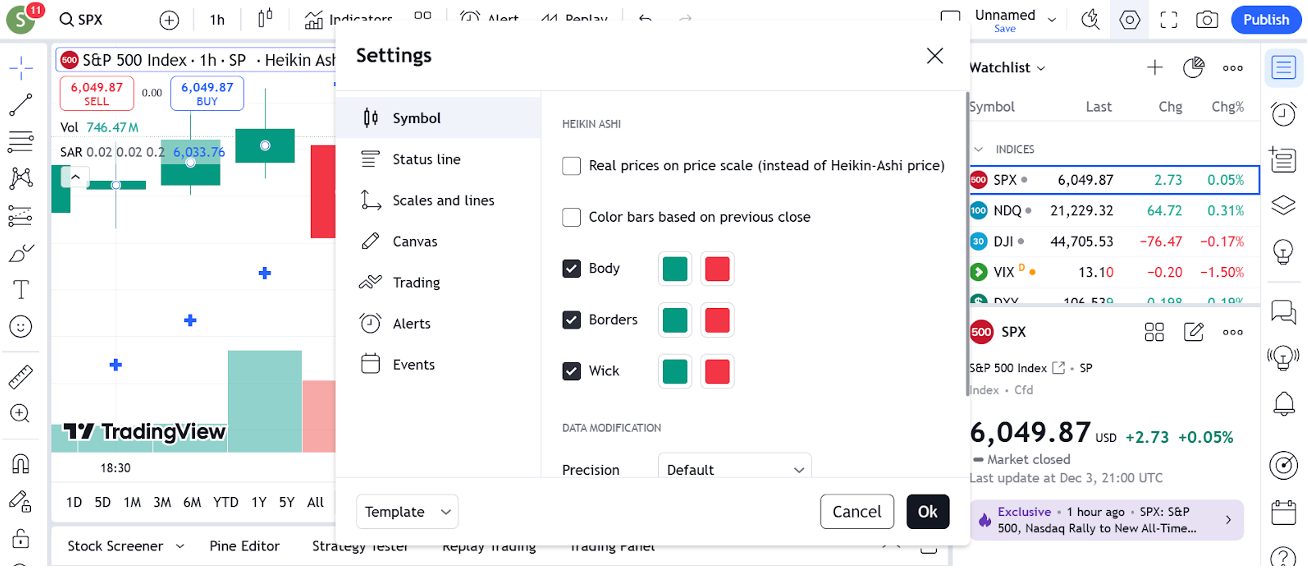
Core Volume Profile Types (Pro+ and Higher)
- Visible Range Volume Profile: Adapts to the viewed chart area.
- Fixed Range Volume Profile: Analyzes a specific price range.
- Session Volume Profile: Focuses on individual trading sessions.
How to Activate
Click the Indicators button, search "Volume Profile", select the type, and apply to chart.
Essential Levels to Know
- POC (Point of Control): Highest volume node, acts as a magnet.
- Value Area High (VAH) and Value Area Low (VAL): Encompassing 70% of traded volume.
Recommended Beginner Settings
Right-click the profile, go to Settings, enable "Show POC", "Value Area", and "Developing POC".
Official guide: https://www.tradingview.com/support/solutions/43000502338-volume-profile/
Intermediate Level: Periodic Volume Profile (PVP)
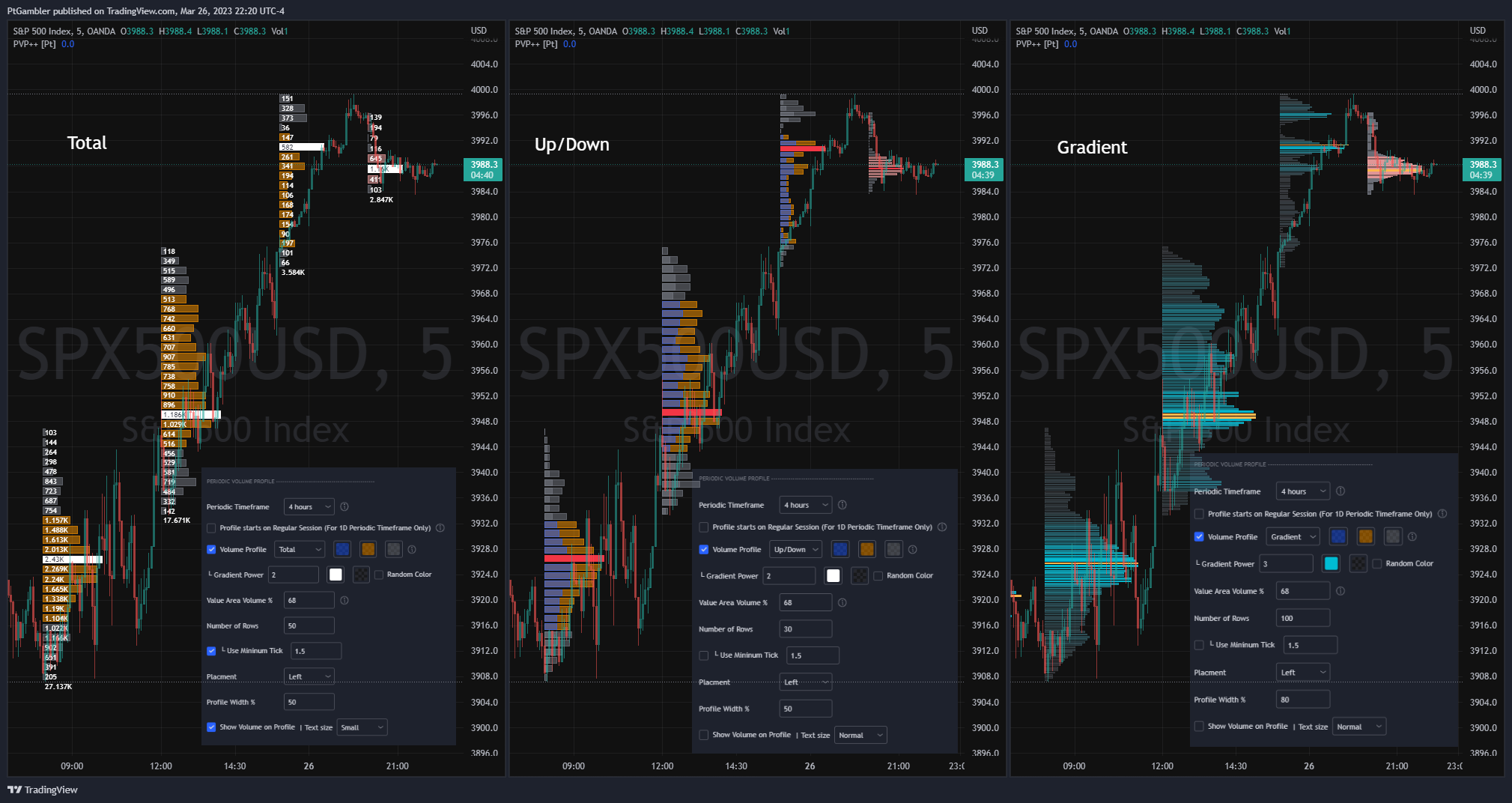
The Periodic Volume Profile (PVP) automatically generates profiles for defined intervals (daily, weekly, monthly, or custom), revealing evolving market structures.
Key PVP Settings
- Period: Daily or Weekly for standard analysis.
- Rows: 24-48 to balance detail and clarity.
- Volume Mode: Delta for aggression insights or Total for overall activity.
- Value Area: 68-70% to capture core distribution.
Leverage PVP to detect institutional rotations and value shifts across sessions.
Detailed tutorial: https://www.tradingview.com/support/solutions/43000703071-periodic-volume-profile/
Advanced Level: TPO Market Profile and CVD Divergence
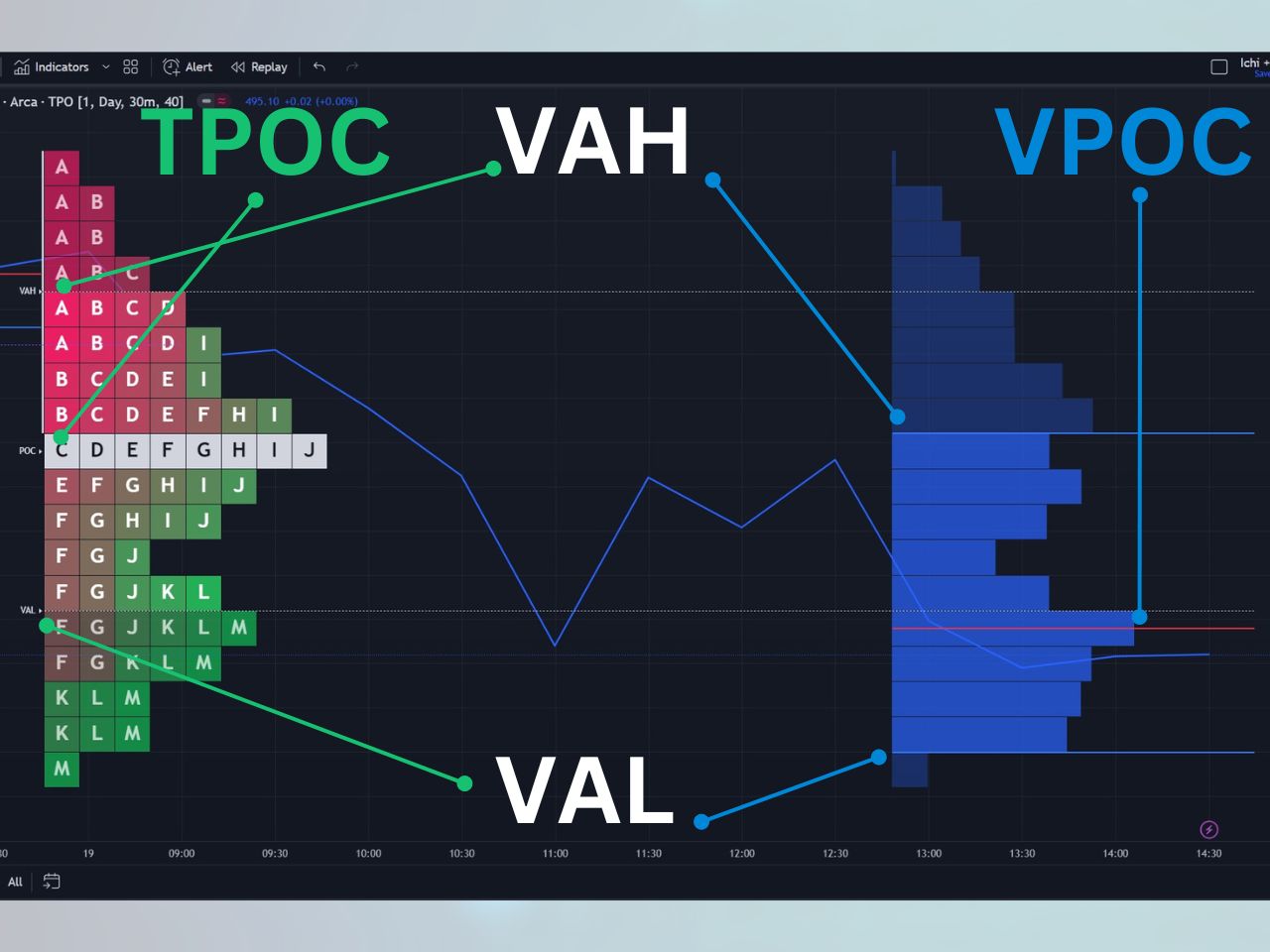
TradingView TPO Indicator (Premium Exclusive)
This tool visualizes time at price with letter blocks, Initial Balance, and embedded Volume Profile for auction theory application.
Pro TPO Settings
- Block Size: 30 minutes (industry standard).
- Show Volume Profile: Enabled for hybrid views.
- Display: POC, VAH, VAL, Single Prints to spot inefficiencies.
CVD Divergence Integration
Combine with community CVD scripts to identify divergences:
- Bullish divergence: Price lower lows vs. CVD higher lows (accumulation).
- Bearish divergence: Price higher highs vs. CVD lower highs (distribution).
Official TPO documentation: https://www.tradingview.com/support/solutions/43000713306-time-price-opportunity-tpo-indicator/
Expert Workflow and Optimization
Pro Workspace Setup
- Main Pane: Candles overlaid with Periodic Volume Profile.
- Right Panel: TPO Profile for time-based insights.
- Bottom Pane: CVD script for delta monitoring.
- Use Fixed Range profiles during high-impact events.
High-Probability Setup
Price rejection at prior VAL + TPO POC alignment + bullish CVD divergence = robust institutional entry.
Optimization Tips
Save workspace templates and use Multi-Chart layouts for multi-timeframe confluence.
Conclusion and Next Steps
TradingView's volume suite equips traders with professional order flow tools, bridging retail access to institutional strategies across all markets.
Ready to unlock these insights? Upgrade your TradingView plan today.
Upgrade and pricing: https://www.tradingview.com/pricing/
Official Volume Profile guide: https://www.tradingview.com/support/solutions/43000502338-volume-profile/
Further Reading and Resources